Hands-On Lab
325
Hands-On Lab
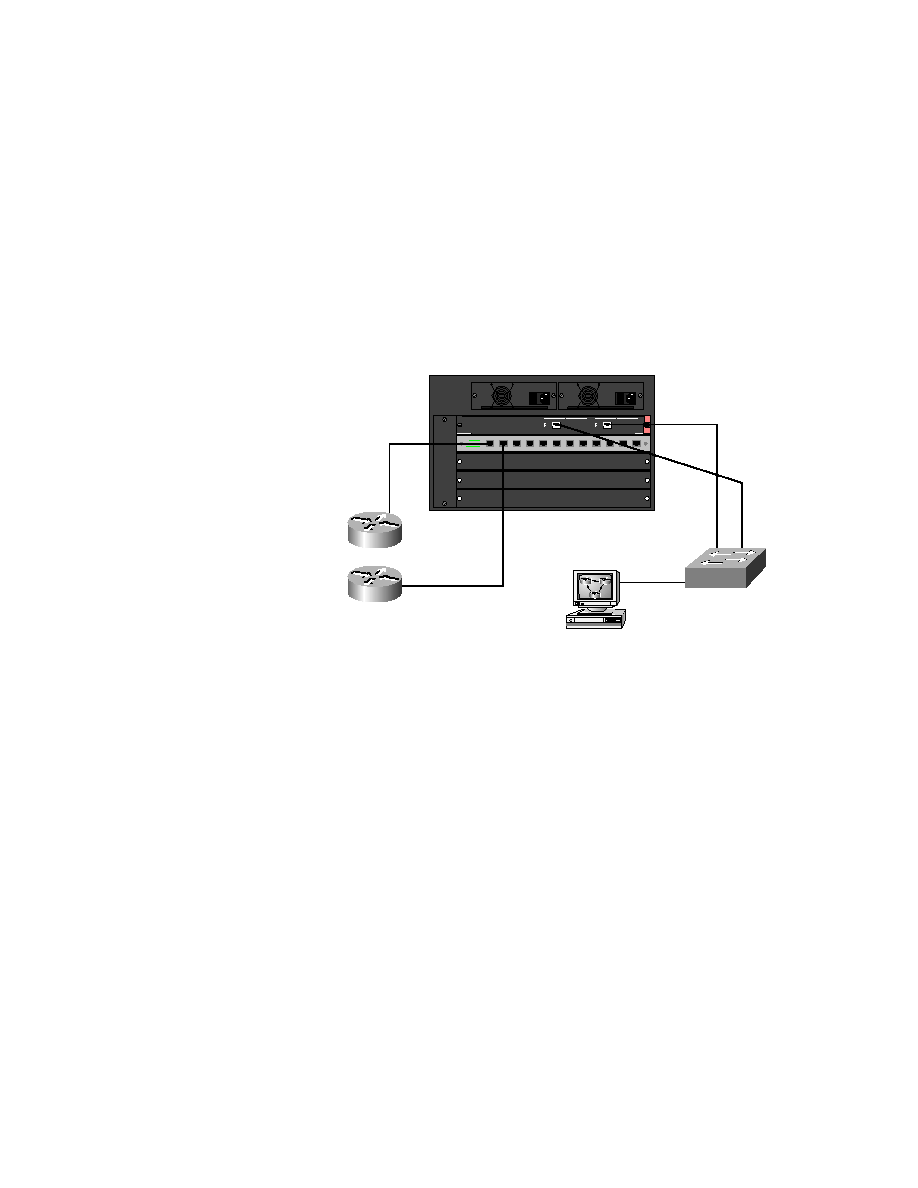
In this lab, you'll use Figure 8.6 as a network diagram to configure
HSRP. Notice that we have added another router to the network. This will
allow you to run the HSRP protocol as a redundancy method.
F I G U R E 8 . 6
Chapter 8 hands-on lab
1.
Check your connections to make sure both your routers are connected
to the switch.
2.
Configure the 2501A with an IP address of 172.16.10.5 on the ether-
net interface 0.
3.
Ping the 2501A from the 5000 switch and from the 2621A router.
4.
From the 2621A console, create a standby group 1 with an IP address
of 172.16.10.50 in FastEthernet 0/0.
2621A(config-if)#int f0/0
2621A(config-if)#ip address 172.16.10.1 255.255.255.0
2621A(config-if)#no shut
2621A(config-if)#standby 1 ip 172.16.10.50
2621A(config-if)#
F0/0
172.16.10.1
E0
172.16.10.5
172.16.10.4
172.16.10.2
SD
P O W E R
1 15 / 2 30 VAC
9 .8 /4 . 9 A
6 0/ 5 0 Hz
P O W E R
1 1 5 /2 3 0 VAC
9 . 8/ 4 .9 A
6 0 /5 0 H z
1
1
SD
1/1
1/2
F0/27
F0/26
E0/4
2/1
172.16.10.3
Copyright ©2000 SYBEX , Inc., Alameda, CA
www.sybex.com