228
Chapter 6
Inter-VLAN Routing
This is not a bad solution, but it does not scale well when you have over
four or so VLANs. It depends on the type of router you have. For every
VLAN, you need to have a router interface (typically FastEthernet or Gigabit
Ethernet) so a larger, more expensive router can have more interfaces with-
out being saturated.
The more VLANs you have, the more router interfaces you have to pur-
chase with the router. Also, you should have a fast router like a high-end (at
least a 4700 or 7000 series) router that can route quickly so the router does
not become a bottleneck. Cost then becomes the issue with multiple links.
A Single Trunked Link
Another possible solution to routing between VLANs is creating a trunked
link on a switch and then using a frame tagging protocol such as ISL or
802.1q (which are used to identify frames as they traverse FastEthernet and
Gigabit Ethernet links) on the router. Cisco calls this solution "router on a
stick."
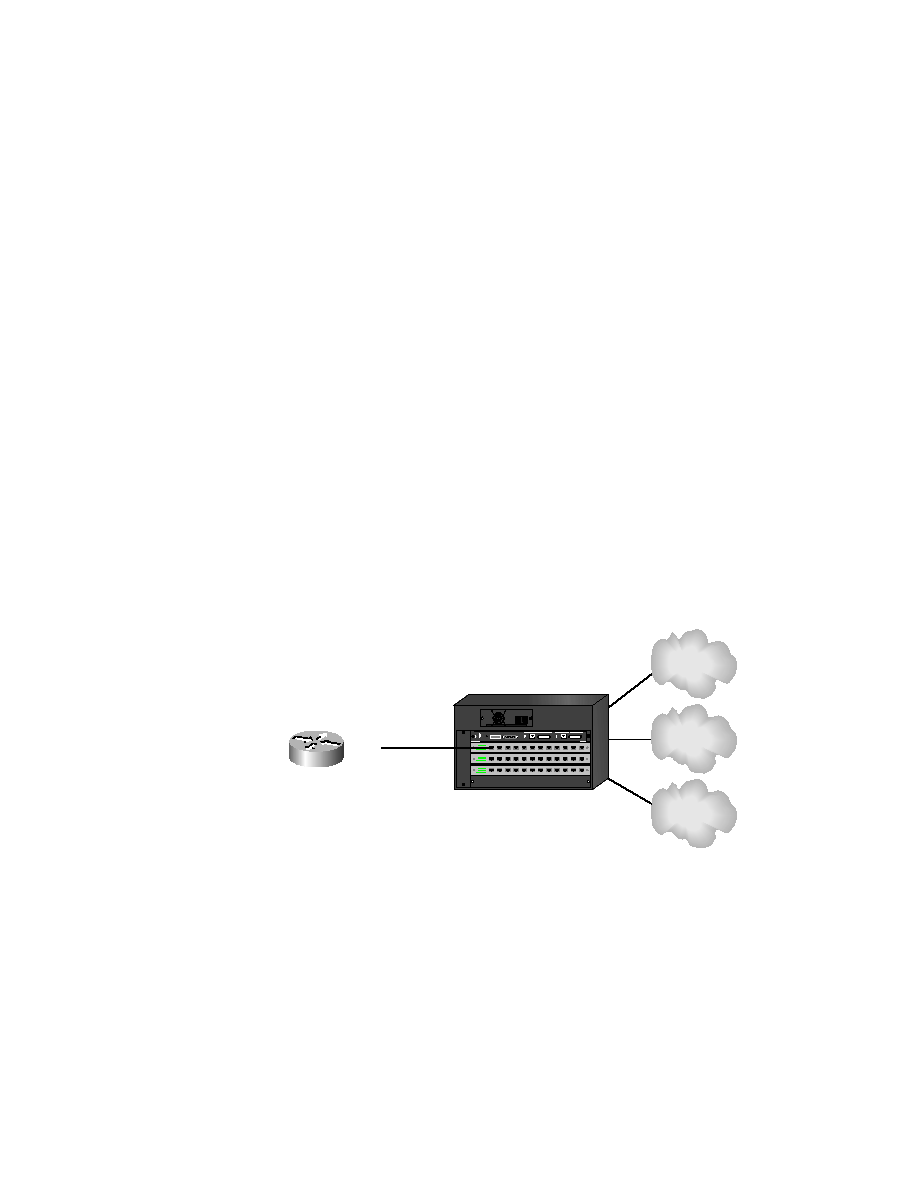
Figure 6.2 shows how the internetwork might look with a single trunked
link for all VLANs.
F I G U R E 6 . 2
Single trunked link for all VLANs
This solution uses only one router interface on the router, but it also puts
all the traffic on one interface. You really have to have a fast router to do this.
Also, to even perform this function, you need at minimum a FastEthernet inter-
face on a 2600 series router. ISL does not work on 10BaseT interfaces, nor
F0/0.1
F0/0.2
F0/0.3
Trunked Link
VLAN 1
VLAN 2
VLAN 3
(Router on
a stick)
Copyright ©2000 SYBEX , Inc., Alameda, CA
www.sybex.com