136
Chapter 3
VLANs
Hands-On Lab
In this lab, you will continue to configure the network used in the hands-
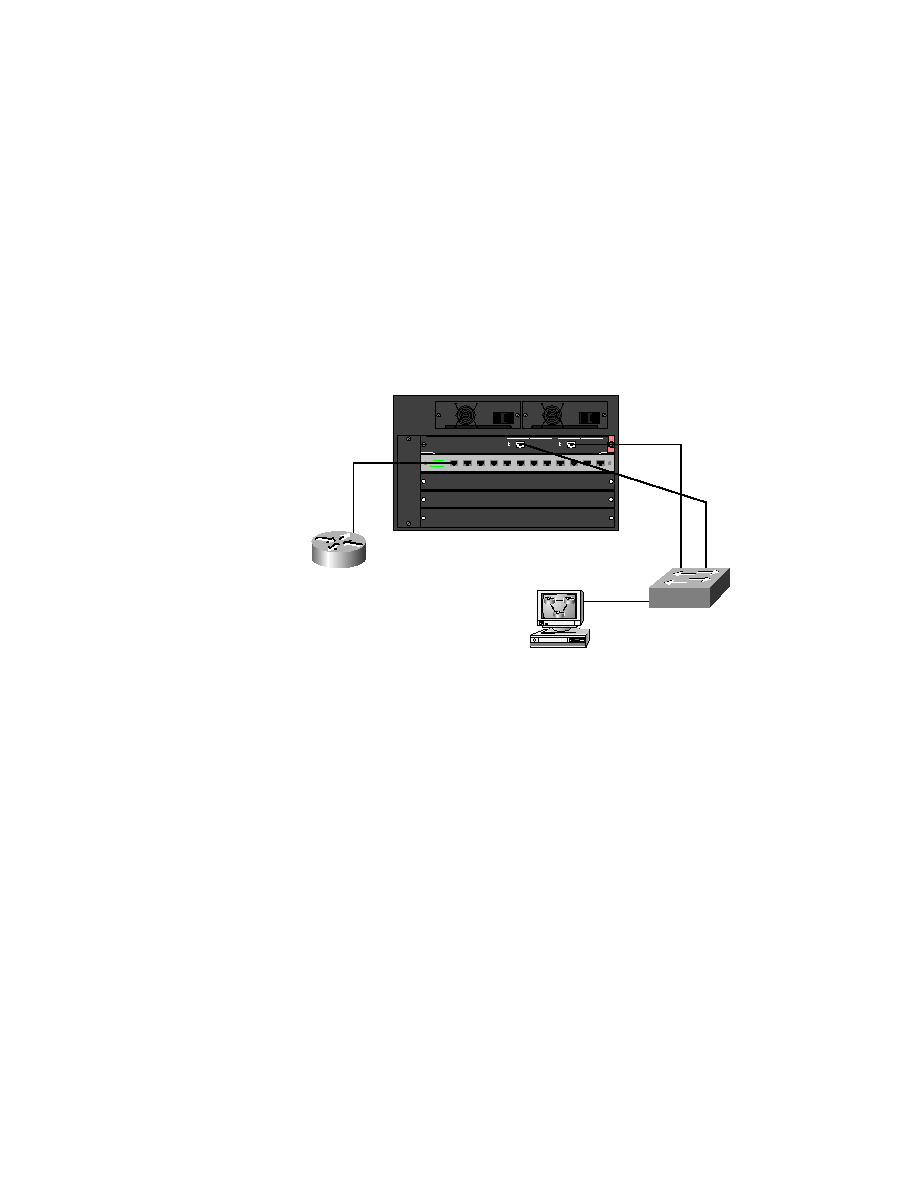
on lab in Chapter 2. This lab will configure the network with VTP
domain information and trunking. Figure 3.8 is a review of the lab we are
configuring.
F I G U R E 3 . 8
Switched internetwork for hands-on lab
1.
Start with the 5000 series switch and configure the VTP domain as
Routersim:
set vtp domain Routersim
2.
The default VTP mode is server, which is what you want the 5000
series switch to be. The 1900 switch will be a VTP client. Create three
VLANs on the 5000 series switch:
VLAN 1 is the default; it will be used for management.
VLAN 2 will be the Sales VLAN and will use IP network
172.16.20.0. Ports 1 and 2 on card 2 will be used.
F0/0
172.16.10.1
172.16.10.4
172.16.10.2
SD
P O W E R
1 15 / 2 30 VAC
9 .8 /4 . 9 A
6 0/ 5 0 Hz
P O W E R
1 1 5 /2 3 0 VAC
9 . 8/ 4 .9 A
6 0 /5 0 H z
1
1
SD
1/1
1/2
F0/27
F0/26
E0/4
2/1
172.16.10.3
Copyright ©2000 SYBEX , Inc., Alameda, CA
www.sybex.com