86
Chapter 2
Connecting the Switch Block
Hands-On Lab
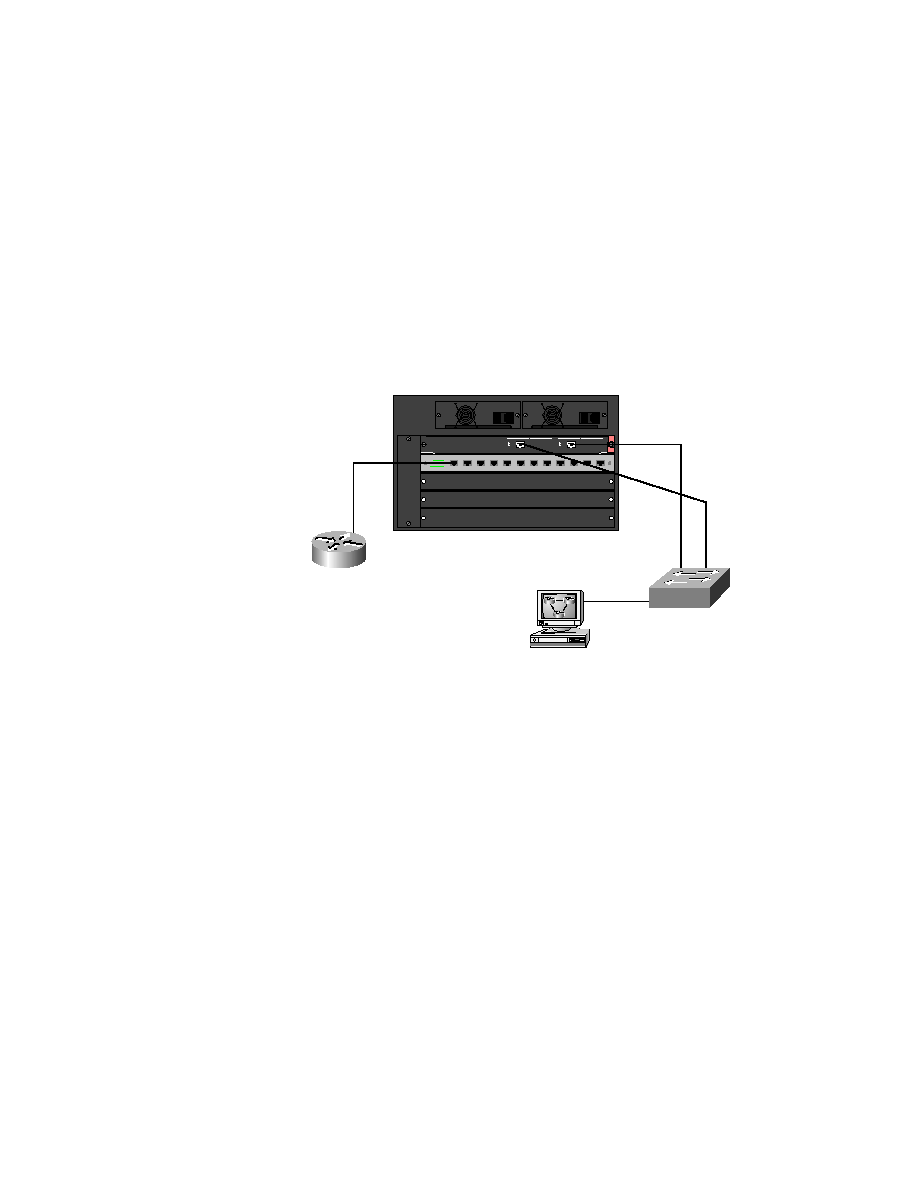
This lab will provide step-by-step instructions for configuring both
access layer and distribution layer switches. You'll use a 1900 switch for
the access layer and a 5000 series switch for the distribution layer. Figure 2.1
will provide the network diagram that will be configured in this lab.
F I G U R E 2 . 1
Access layer to distribution layer configuration
1.
Configure the access layer switch by going to the console and pressing
K to enter the CLI.
2.
Assign the usermode password:
enable
config t
enable password level 1 cisco
3.
Assign the enable password:
enable password level 15 sanfran
F0/0
172.16.10.1
172.16.10.4
172.16.10.2
SD
P O W E R
1 15 / 2 30 VAC
9 .8 /4 . 9 A
6 0/ 5 0 Hz
P O W E R
1 1 5 /2 3 0 VAC
9 . 8/ 4 .9 A
6 0 /5 0 H z
1
1
SD
1/1
1/2
F0/27
F0/26
E0/4
2/1
172.16.10.3
Copyright ©2000 SYBEX , Inc., Alameda, CA
www.sybex.com