122
Chapter 3
Generic Troubleshooting Tools
Network Analyzers
Network analyzers
are also known as
protocol analyzers
. Examples of protocol
analyzers are EtherPeek (used in the
CCNA: Cisco Certified Network Associate
Study Guide, CCNP: Advanced Cisco Router Configuration Study Guide,
and
in this book), Network Associate's Sniffer, and RADCOM's PrismLite.
These tools must be connected to the network or broadcast domain
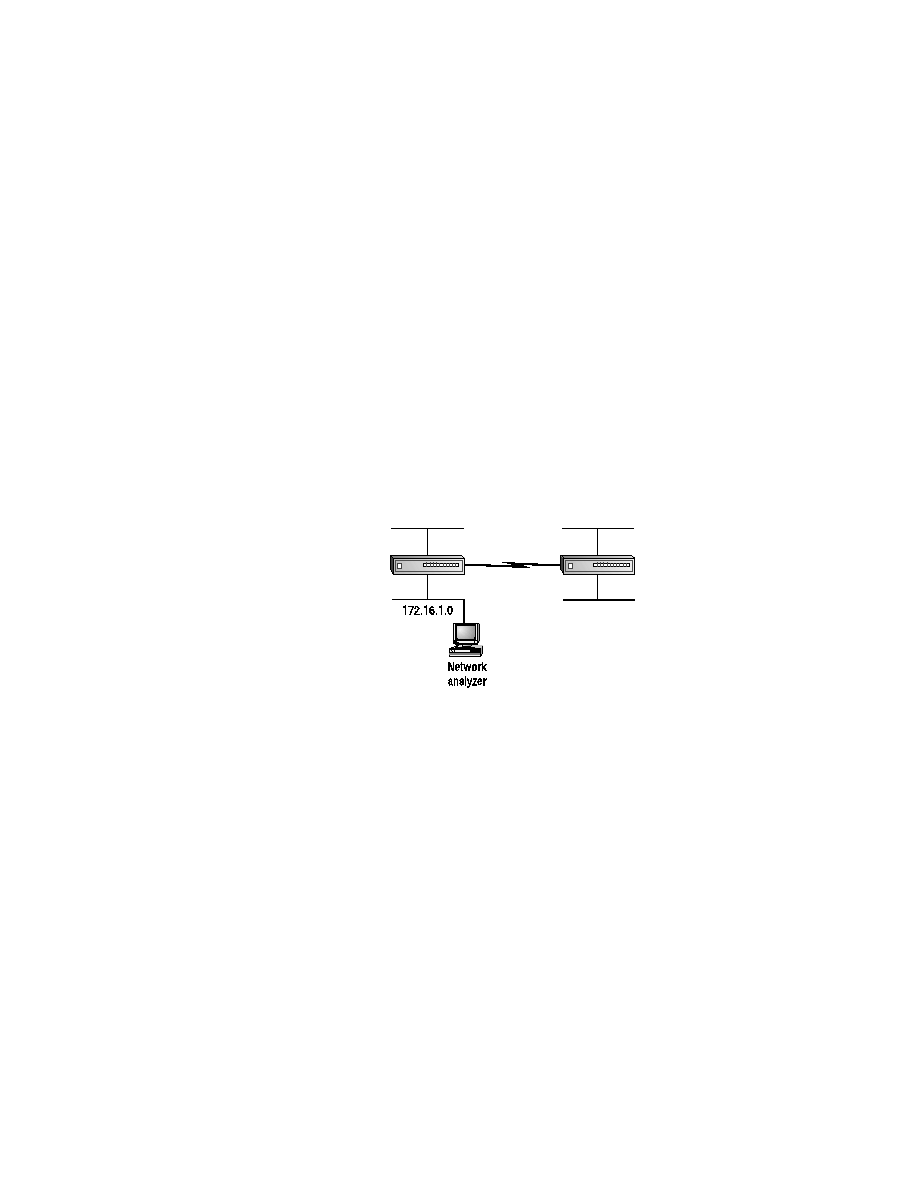
that you are interested in troubleshooting. Figure 3.1 depicts a subnet-
work. If there is a fault within the
172.16.1.0
subnetwork, the proto-
col analyzer must be placed on that segment of the subnetwork.
Otherwise, you will not see the packets transiting the subnetwork. As
you can see in Figure 3.1, the protocol analyzer is connected to the
172.16.1.0
subnetwork. Some analyzers can monitor in-line, but most
just act as an additional node on the subnetwork.
F I G U R E 3 . 1
Placement of a protocol analyzer
To better handle the data that is captured by an analyzer, different filters
may be used. Most programs allow filters to be placed before or after the
packet is copied. After a full capture, display filters may be used to help
narrow the field of troubleshooting. If you are trying to troubleshoot an
Ethernet problem, you probably don't want to look at all of the routing
packets that were also captured. To save memory, filters can be applied
before the packet is captured into memory. The analyzer looks at each
packet and compares it to user-defined filters. If the necessary criteria are
met, the packet is then copied to memory; otherwise, it is dropped.
Copyright ©2000 SYBEX , Inc., Alameda, CA
www.sybex.com